
Kindergarten iPad Apps for Learning: Best Picks for September 2026
A lot of best educational apps for kindergarteners lists will point you toward whatever is free and familiar. And free is great, but free doesn't always mean your child is actually learning anything new. If your five-year-old is still working on phonics or number sense, the format of the app matters as much as the content in it. Here's how the most popular options actually stack up.
TLDR:
- Passive apps like videos and tap-through games expose kids to concepts but cannot teach a new skill from scratch.
- Free options like Khan Academy Kids and PBS KIDS work well for reinforcement once a child already has some footing.
- Reading Eggs covers phonics and has a 4,000+ book library, but skips math entirely, so you'll need a second app.
- IXL is built for tracking mastery and practicing known skills, not for teaching a kindergartener something brand new.
- Super Teacher is the only app here that listens to a child's spoken answers via voice transcription, corrects them in real time, and covers both reading and math at $20/month or $100/year for the whole household.
What Are Educational Apps for Kindergarteners?
Educational apps for kindergarteners cover a wide range of formats and goals. Some play videos. Some run through games and reward loops. Others actually teach, asking children questions and adapting based on what they say. For a broader look at tutoring apps for young kids, the differences in format matter more than most parents expect. For a five or six year old, that difference matters more than most parents realize.
For a kindergartener still building foundational skills, the difference between passive and active formats is the whole ballgame. A child who watches a phonics video may absorb nothing, because there is no one asking them to do anything. A child who has to say a word out loud, gets corrected when they say it wrong, and tries again is genuinely learning. That gap shows up clearly when you look at how phonics apps for kids actually handle instruction, and it is the thread running through every comparison below.
How We Ranked These Apps
Ranking apps for kindergarteners means looking past the fun animations and reward sounds to ask what the child is actually doing during the lesson. These five criteria guided every placement on this list.
- Instructional depth: does the app teach new skills, or only reinforce things the child already knows?
- Interactivity: is the child actively responding, or just watching and tapping?
- Adaptivity: does the app adjust mid-lesson based on how the child is doing?
- Subject coverage: does it cover the core kindergarten skills, reading and math in particular?
- Pricing transparency: is the cost clear, and does the value hold up?
Rankings reflect how well each app satisfies these criteria based on publicly available product information. No internal testing was conducted. If you are unsure where your child stands, the pre-K readiness checklist can help you identify which skills to focus on first.
Best Overall Educational App for Kindergarteners on iPad: Super Teacher
Super Teacher works like a personal tutor on your child's iPad: it guides each child step by step through reading and math lessons, asks questions out loud, listens to spoken answers via voice transcription, and adjusts based on how the child responds. That conversational back-and-forth is what separates it from apps that only present videos or tap-through activities. The full "I do, we do, you do" model is here: the tutor models the skill first, works through it together with the child, then steps back for independent practice. You can see the full lesson structure on the product page. Every lesson is reviewed and approved by real teachers on staff before a child sees it, and the camera never turns on.
- Voice-based, conversational lessons with speech transcription calibrated for young children's voices, so no typing or tapping is needed
- Phonics-based Learn to Read course covering CVC word families, sight words, blends, and digraphs; many children read their first sentence in Lesson 1
- Math progression from number sense and one-to-one correspondence through addition, subtraction, and beyond
- Lessons run 5 to 8 minutes for kindergarteners, available 24/7 with no scheduling required
- COPPA and FERPA compliant, with voice data deleted promptly after transcription
- Post-lesson parent emails summarize performance and suggest enrichment ideas
Super Teacher is the only app here that teaches new skills from scratch while listening to and correcting a child's spoken answers in real time. Pricing is $20/month or $100/year, covering unlimited tutoring for every child in the household.
Khan Academy Kids
Khan Academy Kids is a free, character-driven early-learning app built for children ages two to seven. It covers letters, numbers, and basic social skills through animated characters children tend to already recognize and enjoy. For parents who want a no-cost way to introduce early concepts around letters, numbers, and basic social skills, it covers the ground reasonably well.
What They Offer
- Video-based lessons and short interactive activities across literacy and math
- Character-guided experiences with familiar animated characters
- Free access with no subscription required
- Parent progress reports showing completed activities
Khan Academy Kids works best for families who want a free, low-pressure option for early concept exposure. The format relies on videos and tap-based activities: the child watches, clicks, and moves on. That means there is no conversational back-and-forth and no spoken corrective feedback. A child who has never read a word needs someone to listen, correct, and try again with them, and a video cannot do that. It earns its reputation as a solid free resource for early exposure, but falls short of what a kindergartener needs to build foundational reading or math skills from the ground up. If your child is behind in reading, there are more targeted steps you can take.
ABCmouse
ABCmouse is a broad activity library spanning reading, math, science, art, and music for ages 2 to 8, designed for families who want variety and a low-pressure way to keep kids engaged with educational content. For that purpose, it holds up well: the library is large, parents get progress tracking, and kids move through games, videos, and activities at their own pace.
That format, however, is built for reinforcing concepts a child already knows, not for teaching something new from scratch. There is no conversational feedback and no real-time correction, so a kindergartener encountering phonics or number sense for the first time has no way to say a word out loud, get corrected, and try again. The app simply has no mechanism for that kind of exchange. In practice, the rewards system compounds this: kids tend to drift toward Pet Town and Hamster Maze and away from the educational content, which is a well-documented pattern with game-based reward loops. For reinforcing familiar concepts through play it is solid, but for a kindergartener who needs to learn something new, like sounding out their first words, it falls short. For older kids, see our roundup of the best tutoring apps for elementary school children.
PBS KIDS
PBS KIDS is a free, publicly funded media brand parents have trusted for decades. The app offers free, ad-free video content and character-driven games across literacy, math, science, and social-emotional learning, all featuring characters like Daniel Tiger, Curious George, and Clifford that children already recognize. No account or subscription is required, and it works on web and mobile. That familiarity lowers the friction of getting a young child to sit down and engage.
PBS KIDS works well for families who want quality free educational media, particularly for light concept exposure and reinforcement.
The core limitation is that PBS KIDS content is not built around corrective feedback or structured skill progression. A child can watch a full episode without speaking, reading, or responding once, and there is no way to know whether they understood the material or where they struggled. Parents and teachers get no progress tracking either.
A strong free option for educational screen time, but not designed to function as a tutor. For kindergarteners building specific skills like phonics or number sense, video content alone leaves too much to chance. For a focused look at math apps for kindergarten, there are options better suited to teaching number skills directly.
Reading Eggs
Reading Eggs is a strong fit for families focused on early reading who want a structured phonics program paired with a large book library. It is built for children ages 2 to 13, focused entirely on literacy, and its reputation as one of the more structured literacy apps is earned. The features below reflect that focus directly.
What They Offer
- Phonics lessons and interactive reading games for ages 2 to 13
- A library of 4,000+ leveled digital books
- Downloadable worksheets and comprehension activities
- Parent and teacher progress reports
Two limitations are worth knowing before you choose it. First, it covers reading only, so math, science, and other kindergarten subjects require a separate app. Second, lessons are click-based: a child taps through activities instead of speaking aloud, and there is no way for the app to hear a child attempt a word and correct them on the spot.
IXL Learning
IXL is a standards-aligned practice and mastery-tracking platform covering Pre-K through grade 12 in math, language arts, science, and social studies. It is built around detailed diagnostic dashboards that show parents and teachers exactly which skills a child has mastered and where gaps remain. That focus on data and repetition is what it does best, and independent reviewers have called it best suited to older self-directed students filling specific gaps and families who want precise tracking of what their child has and has not yet learned.
Where It Works and Where It Doesn't
- Thousands of standards-aligned practice questions with detailed parent and teacher dashboards make it genuinely useful for tracking what a child has mastered.
- IXL tests skills without teaching them, so a kindergartener encountering a concept for the first time will get stuck quickly.
- The question-based format requires reading and typing, which adds real friction for five and six year olds still building those foundational skills.
For families who want precise data and targeted repetition on skills a child already understands, IXL delivers. For kindergarteners who need to be taught something from scratch, a conversational approach that guides and corrects tends to be a better fit.
Feature Comparison Table of Educational Apps for Kindergarteners on iPad
Feature | Super Teacher | Khan Academy Kids | ABCmouse | PBS KIDS | Reading Eggs | IXL |
|---|---|---|---|---|---|---|
Teaches New Skills from Scratch | Yes | No | No | No | Partial | No |
Conversational/Voice-Based Lessons | Yes | No | No | No | No | No |
Real-Time Corrective Feedback | Yes | No | No | No | No | No |
Adapts Within Each Lesson | Yes | No | No | No | No | Partial |
Covers Reading and Math | Yes | Yes | Yes | Yes | No (reading only) | Yes |
Available on iPad | Yes | Yes | Yes | Yes | Yes | Yes |
Pricing | $20/mo or $100/yr | Free | $14.99/mo | Free | Paid subscription | Paid subscription |
Parents can visit the Super Teacher for parents page to see how it fits into a home learning routine.
Why Super Teacher Is the Best Educational App for Kindergarteners on iPad
Super Teacher does something the other apps on this list cannot: it teaches new concepts just like a live tutor would. The app does this when it listens to a kindergartener, corrects them in real time, and adjusts based on what they actually said.
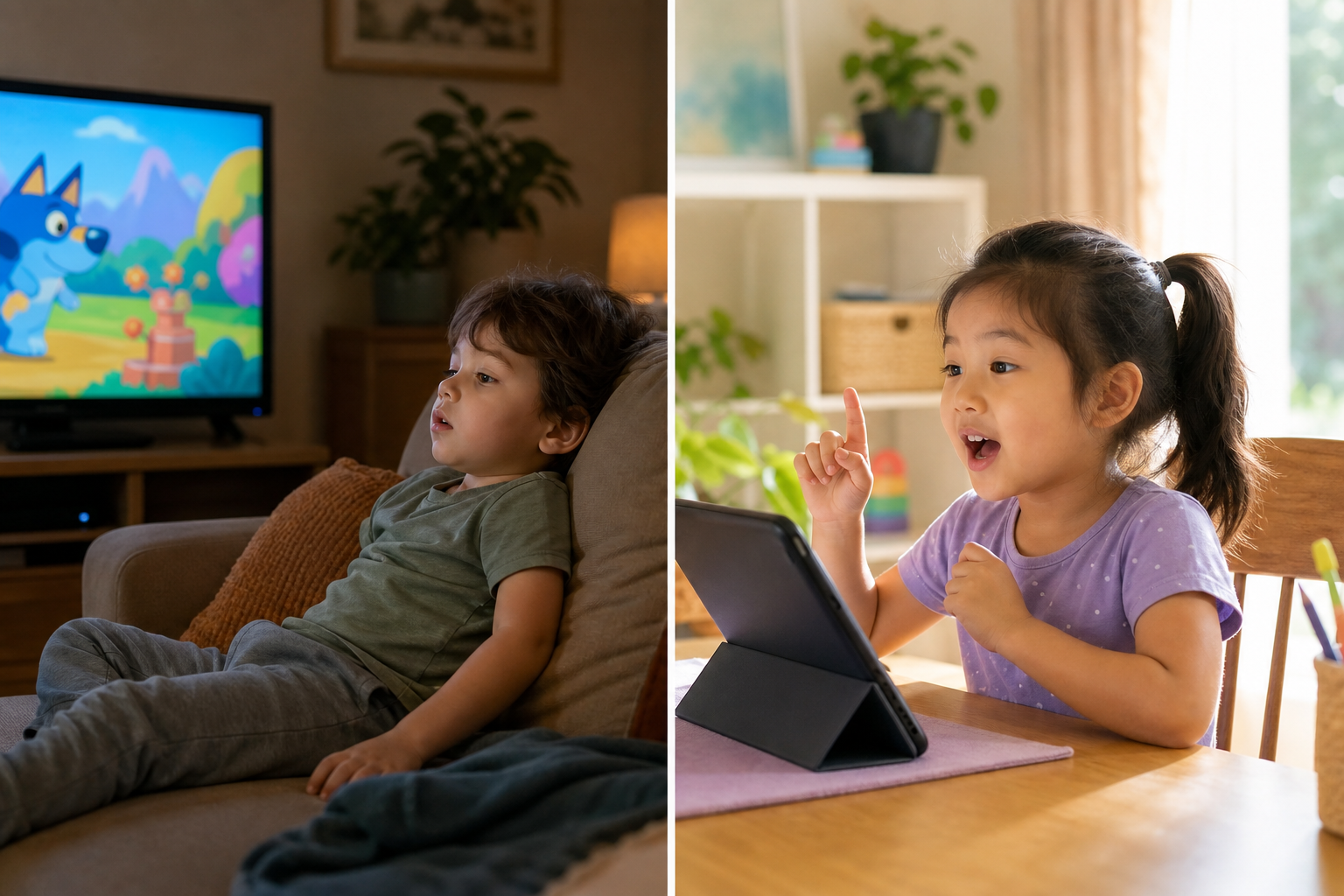
For a five-year-old learning to sound out their first words, that distinction matters. Watching a video about the "-at" word family is exposure. Being asked to say "bat" out loud, getting corrected when you say "bad," and trying again is instruction. Those are not the same thing.
That kind of one-on-one corrective instruction used to mean hiring a human tutor, which adds up quickly. A full year of Super Teacher typically costs less than a single lesson from a traditional tutoring agency.
Final Thoughts on Educational Apps That Actually Teach Kindergarteners
Passive content and active instruction are two different things, and this comparison shows that gap clearly. If your kindergartener needs practice on concepts they already know, several solid free options will do the job. If they need to learn something new, look for an app that can hear them, correct them, and keep going from there.
FAQ
How do I choose between Super Teacher, Khan Academy Kids, ABCmouse, PBS KIDS, Reading Eggs, and IXL for my kindergartener?
Start by asking what your child actually needs: exposure to concepts they already know, or instruction in skills they have never encountered. Free options like Khan Academy Kids and PBS KIDS work well for reinforcement, while Super Teacher is designed for teaching new reading and math skills from scratch through voice-based, corrective feedback.
Is Reading Eggs or Super Teacher a better fit for a kindergartener who needs phonics instruction?
Reading Eggs offers a structured phonics program with a large book library, but lessons are click-based and the app cannot hear a child attempt a word and correct them aloud. Super Teacher listens to spoken answers, corrects errors in real time, and covers math alongside reading, so families who want both subjects covered in one place may find it a stronger fit.
When should I consider IXL over Super Teacher for a five or six year old?
IXL works best once a child already understands a skill and needs targeted repetition and detailed progress data. For kindergarteners still learning foundational concepts for the first time, the question-and-typing format adds friction, and there is no guided instruction to carry them through something new.
Can one app cover everything a kindergartener needs, or do I need to combine several?
Super Teacher covers reading and math with guided lessons; for families who want both in one app, it removes the need to combine. See the table above for a full breakdown.
What makes conversational, voice-based lessons different from the tap-and-watch format most kindergarten apps use?
Tap-and-watch apps ask a child to click an answer or watch a video, which is passive. A conversational lesson asks the child to say a word out loud, listens to what they actually said, and corrects them on the spot if they are wrong. That back-and-forth is how a real tutoring session works, and it is a meaningful distinction for a five-year-old who is learning to read for the first time.